 Workout Studio
Legge come scriviReads it as you write it
Le scritture più comuni delle schede vengono riconosciute direttamente sull’iPhone, senza AI. Per il testo più libero, sui dispositivi compatibili interviene Apple Intelligence, sempre in locale.
The most common ways of writing a plan are read right on your iPhone, without AI. For freer text, supported devices use Apple Intelligence, still on device.
Squat 5x5 - recupero 3'Squat 5x5 - rest 3 min
5 serie da 5, recupero di 3 minuti dopo ogni serie
5 sets of 5, 3 minutes of rest after each set
Affondi 3 serie da 10 per gamba rec 60''Lunges 3 sets of 10 each leg rest 60s
3 serie, ripetizioni per lato mostrate sul polso
3 sets, reps per side shown on your wrist
Plank 3 x 45 secondi rec 30''Plank 3 x 45 seconds rest 30s
Serie a tempo: 45 secondi di lavoro, poi il recupero
Timed sets: 45 seconds of work, then rest
6 x 800 m con 2' di recupero6 x 800 m with 2 min recovery
Ripetute: un blocco ripetuto 6 volte, distanza e recupero
Repeats: one block done 6 times, distance then recovery
5 minuti di corsa, 5 di camminata per 5 volte5 minutes run, 5 minutes walk, repeat 5 times
Sequenze: la camminata diventa il recupero tra le corse
Sequences: the walk becomes the recovery between runs
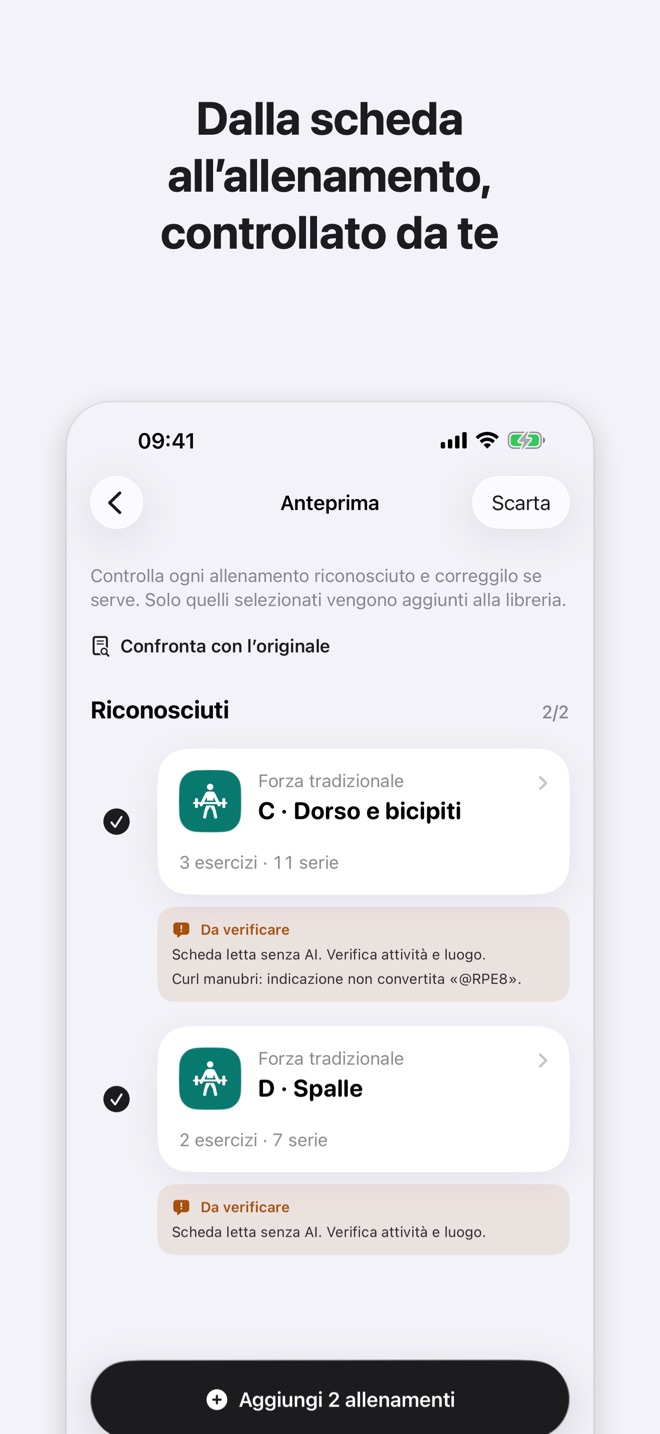
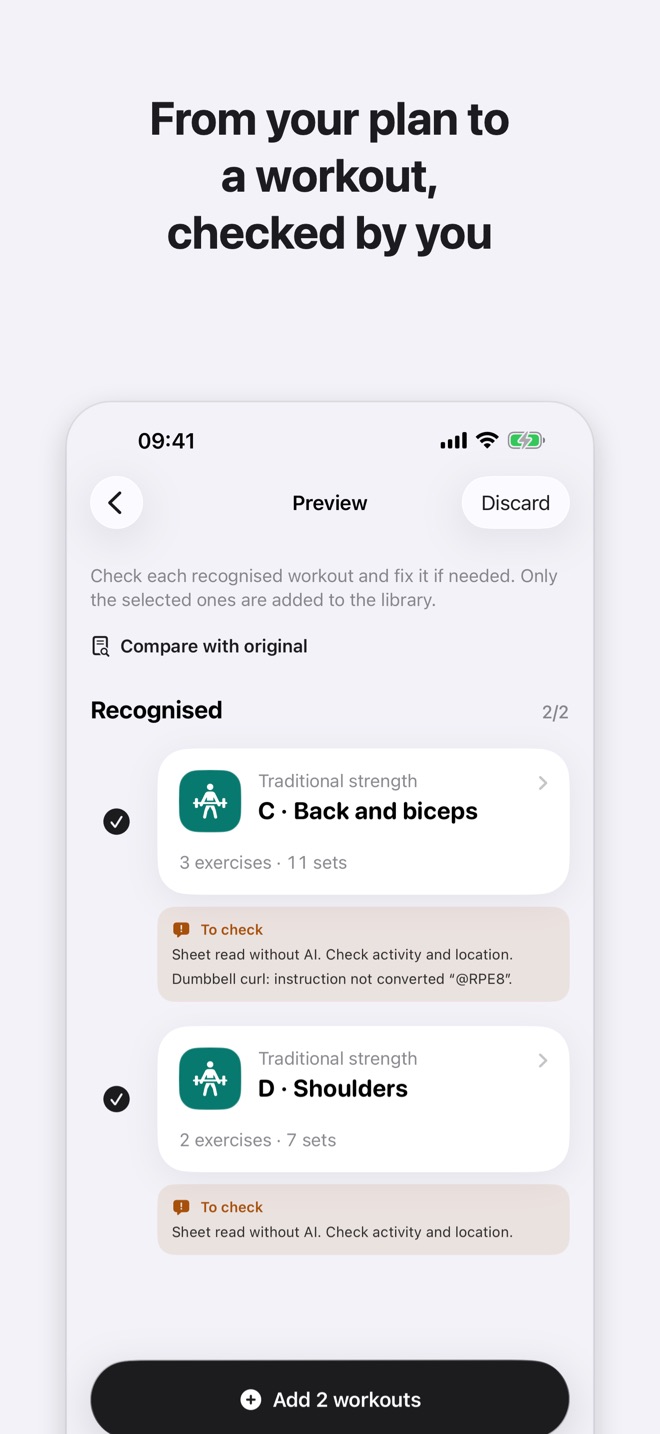
Prima di salvare vedi sempre un’anteprima: tempi, distanze, serie e ripetizioni vengono confrontati con il testo originale e ciò che non torna è segnalato come «Da verificare».
You always see a preview before saving: times, distances, sets and reps are checked against the original text, and anything that doesn’t match is marked “To check”.
Tre passaggiThree steps
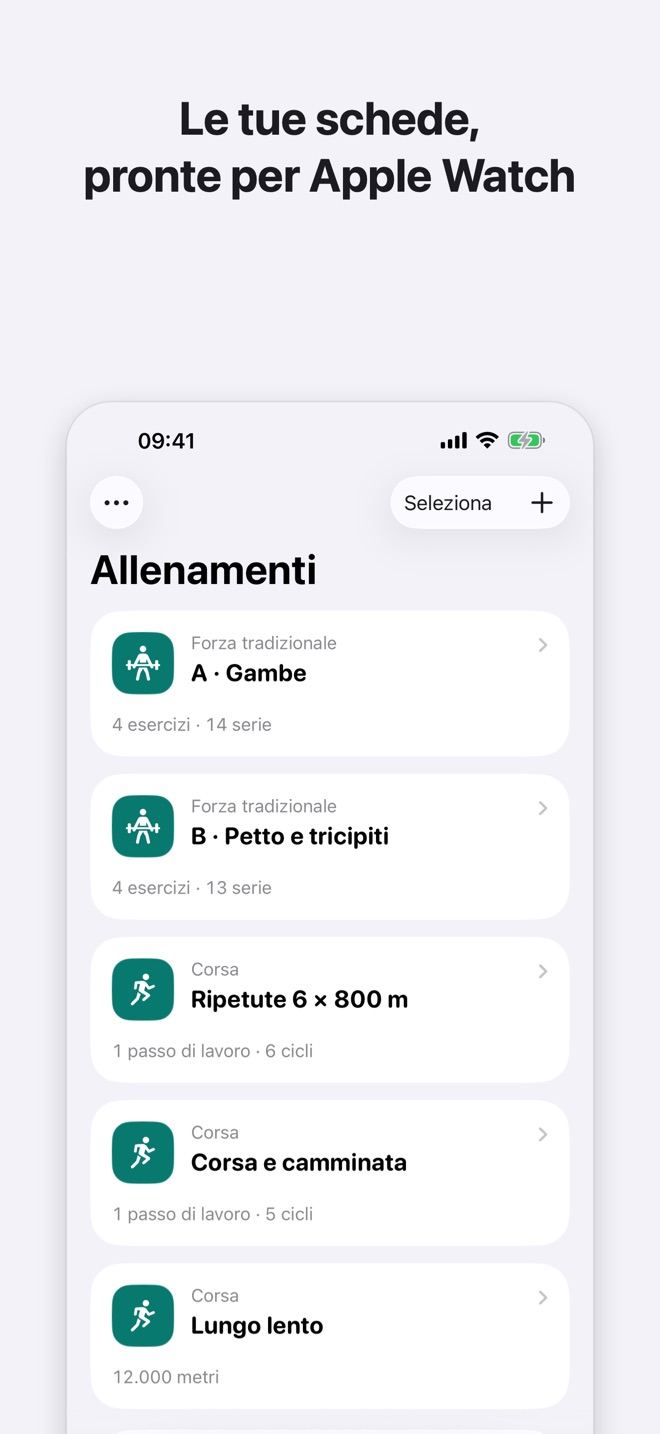
Dalla scheda all’allenamento sul polso, nell’ordine in cui li fai nell’app.
From the plan to the workout on your wrist, in the order you do them in the app.
-
ImportaImport
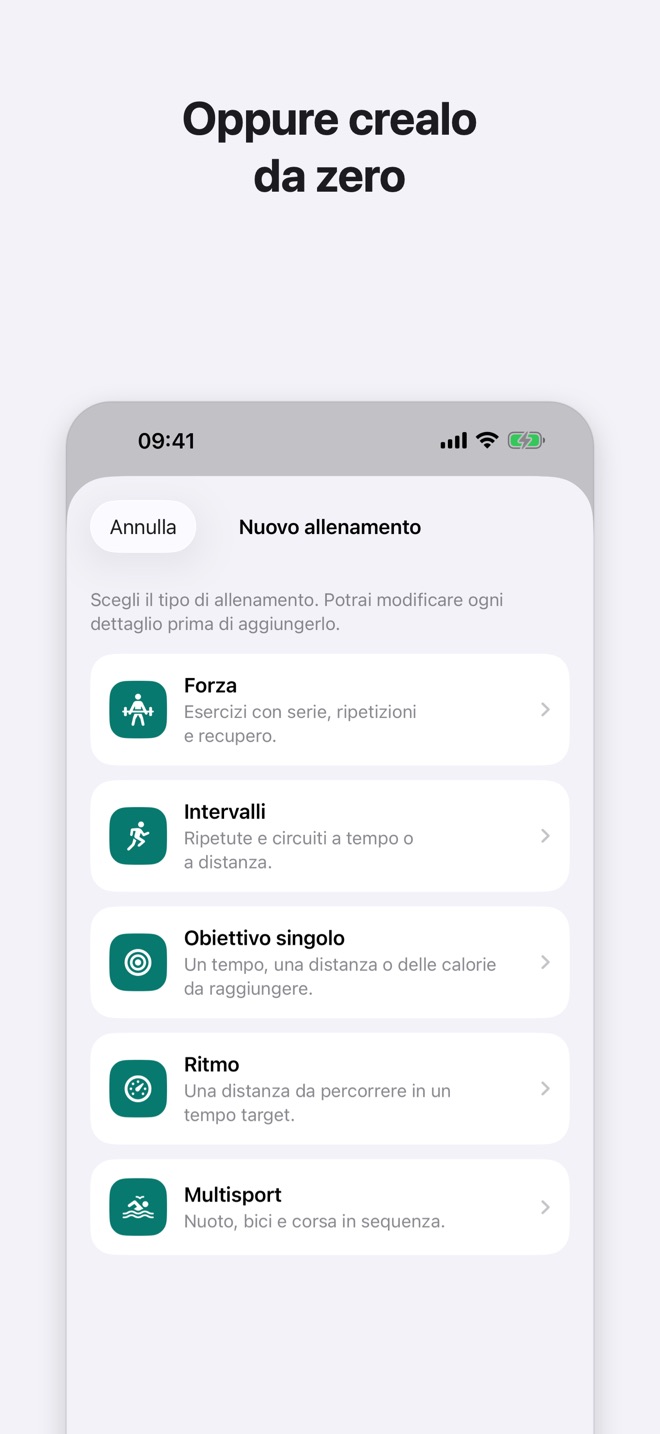
Apri un PDF o una foto della scheda, oppure incolla il testo. Separa più giorni con una riga
---.Open a PDF or a photo of your plan, or paste the text. Separate several days with a
---line. -
ControllaCheck
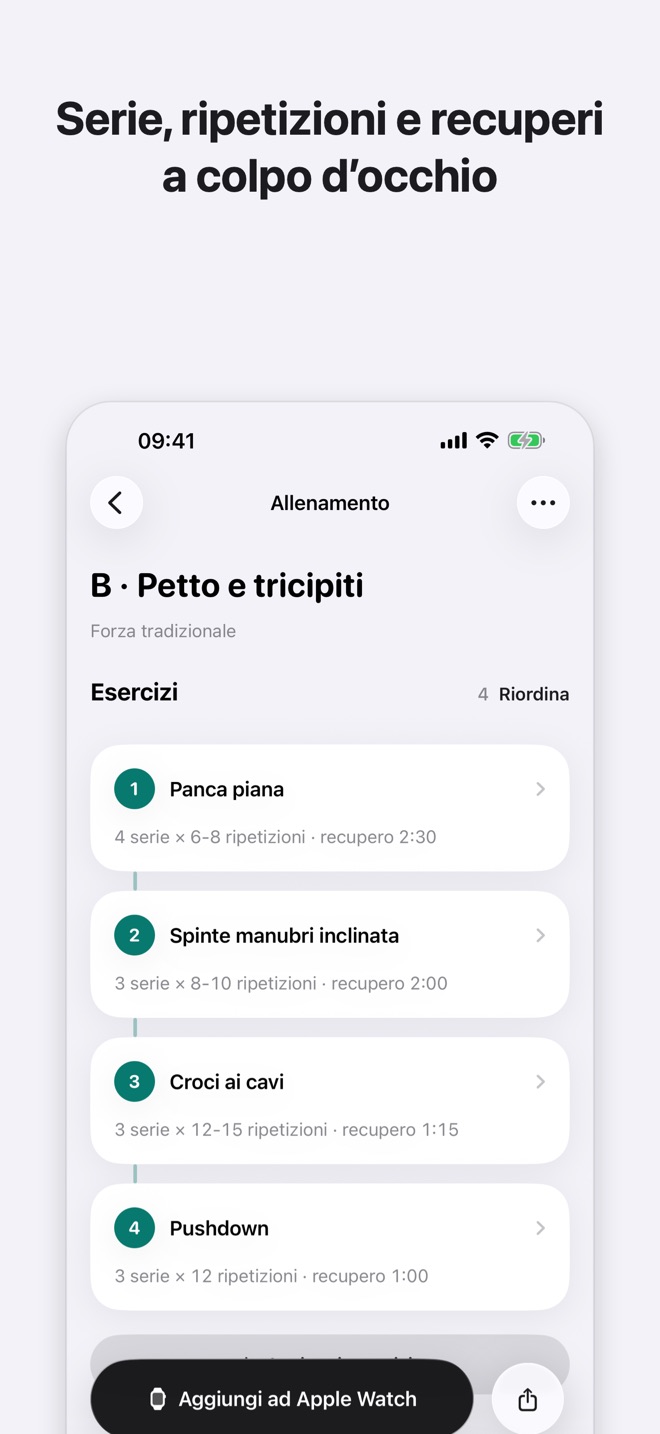
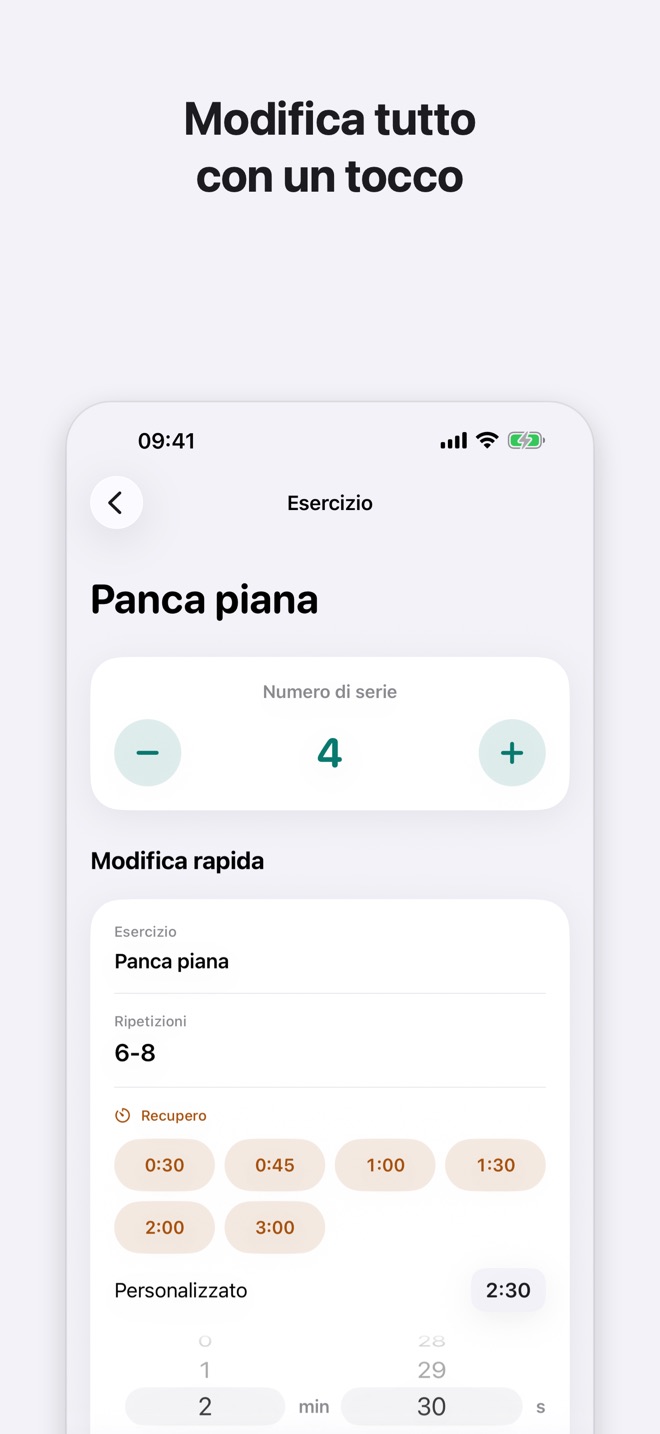
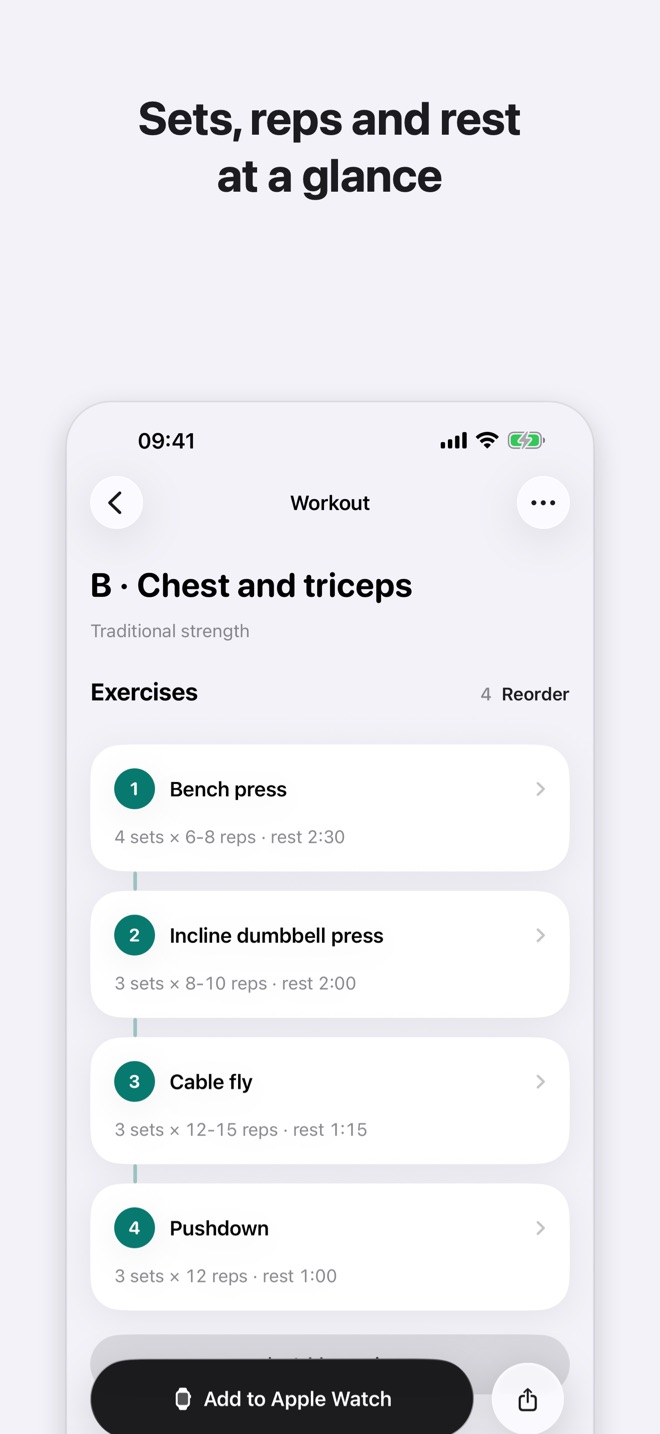
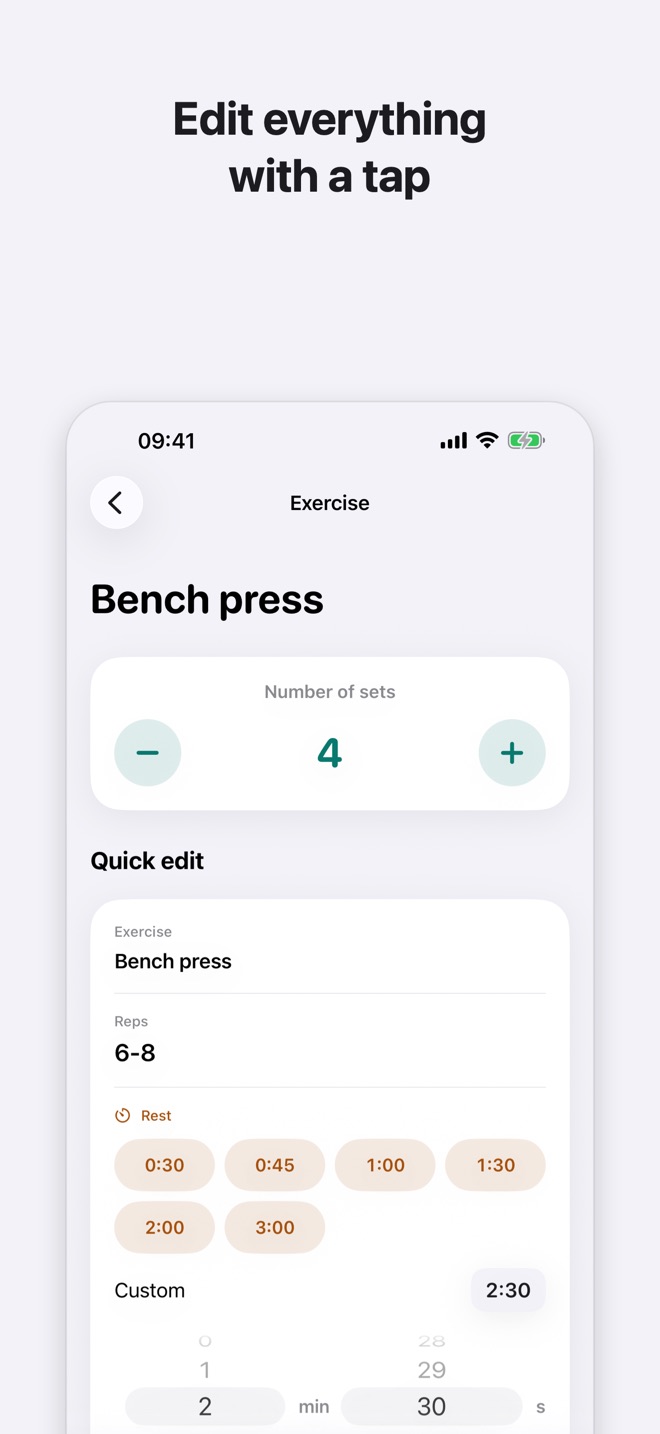
Confronta l’anteprima con l’originale. Cambia serie, ripetizioni e recuperi con un tocco, riordina gli esercizi.
Compare the preview with the original. Change sets, reps and rest with a tap, reorder exercises.
-
Aggiungi ad Apple WatchAdd to Apple Watch
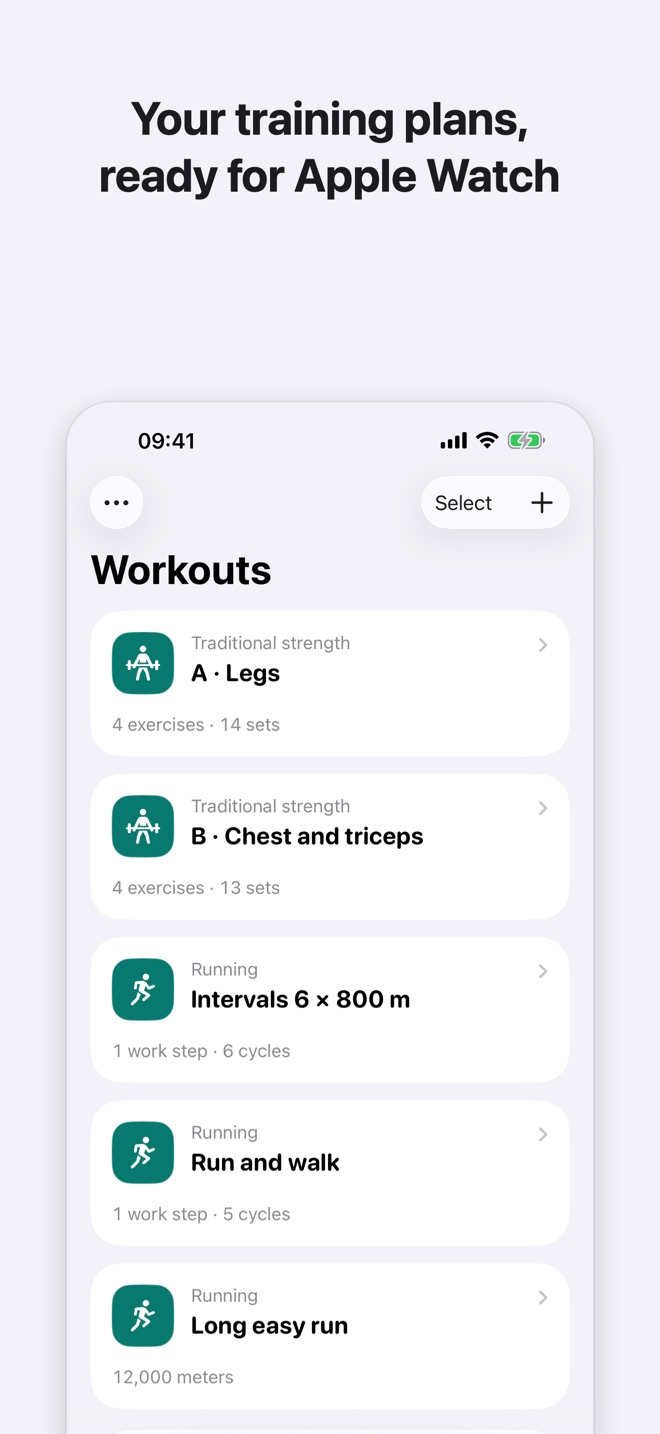
Conferma nel foglio di sistema: l’allenamento resta nell’app Allenamento, pronto quando vuoi. Puoi anche esportare il file
.workout.Confirm in the system sheet: the workout stays in the Workout app, ready whenever you are. You can also export the
.workoutfile.
Dentro l’appInside the app
Nessun account.
Nessun server.No account.
No servers.
Le schede vengono lette sul tuo iPhone e gli allenamenti restano lì. Workout Studio non raccoglie dati.
Your plans are read on your iPhone and your workouts stay there. Workout Studio collects no data.
- Sul dispositivoTesto dei PDF e delle foto riconosciuto con le funzioni di sistema, in locale.
- Niente tracciamentoNessuna analisi d’uso, nessuna pubblicità, nessun SDK di terze parti.
- Niente permessiNessun accesso ai dati di Salute: l’aggiunta ad Apple Watch passa dal foglio di sistema.
- On deviceText in PDFs and photos is recognised with system frameworks, locally.
- No trackingNo usage analytics, no ads, no third-party SDKs.
- No permissionsNo access to Health data: adding to Apple Watch goes through the system sheet.
Cosa serveWhat you need
- iPhone · iOS 26O versioni successive.Or later.
- Apple WatchAbbinato all’iPhone, per aggiungere gli allenamenti all’app Allenamento. Senza, puoi esportare i file .workout.Paired with your iPhone, to add workouts to the Workout app. Without one, you can export .workout files.
- Apple IntelligenceFacoltativa: serve solo per il testo libero che l’app non riconosce da sola.Optional: only needed for free text the app can’t read on its own.
- LingueLanguagesItaliano e inglese.Italian and English.